School Infrastructure NSW · Shared use
Open school courts to the community, and know who came through the gate
Booking, payment, compliance and time-limited gate access for out-of-hours use of NSW public school facilities.
Prepared for the Community Infrastructure team, School Infrastructure NSW · November 2026
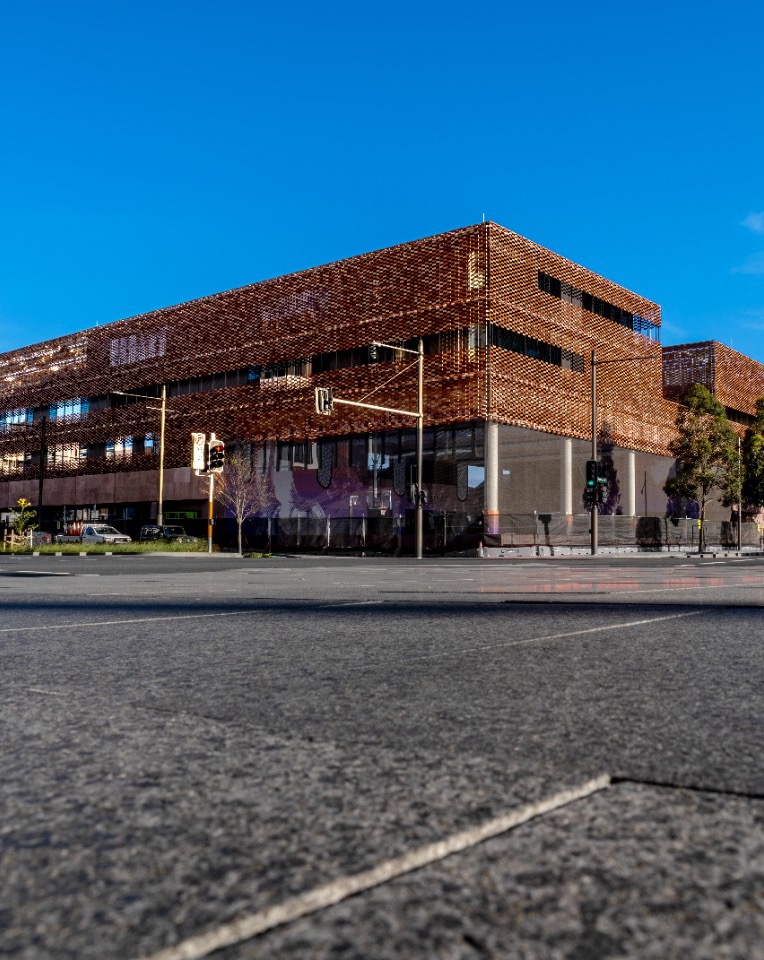
Green Square Public School · © State of NSW (Department of Education), CC BY 4.0
Where shared use is heading
Share Our Space is now a statewide programme
~250
public schools now open outdoor spaces to the community
27,500+
extra hours of free access from the 2025 term-time trial at 65 schools
Every
new public school joins automatically, with more than 20 opening in the next two years
Source: NSW Government, “All new public schools to share facilities with community as Share Our Space program expands”, 14 September 2026
How community hire runs today
Out-of-hours use still runs through the principal’s office
| Step | What the procedures ask of each school |
|---|---|
| Booking | Hirers contact the school; many schools still use paper hire forms |
| Agreement | The principal signs each community use agreement of up to 12 months |
| Compliance | $20M public liability naming the Minister, a Child Protection Declaration, WWC |
| Access | A register of keys and alarm codes; alarm set, doors locked and lights off after each use |
| Billing | Raised by the school through EDConnect into SAP |
Source: NSW Department of Education, Sharing of School Facilities procedures PD-2009-0400-01, v03.2.0, 30 April 2026
Every approved booking should open the right gate, at the right time, and leave a record.
One system for the booking, the paperwork and the gate, that the school and the department can both see. No key to hand over, no alarm code to share, no after-hours lock-up run.
Two kinds of out-of-hours use
One system for free public access and paid community hire
Share Our Space
- Free public access, no booking
- Published opening windows per school
- A nominated gate and outdoor zone
- Activity Partner programmes
- Hours of access and incidents reported
Community hire
- An approved, ID-checked hirer books and pays
- Priced at the department’s guideline rates
- Insurance, Child Protection Declaration, WWC
- A time-limited code for the hall or court
- A record of every entry
The same school can run both. Share Our Space participation does not make a hall or indoor court bookable.
Running today
What CourtPass already runs for a Sydney academy
Court hire by the hour
Members book and pay online, on the web
Payments through Stripe
Card payments, refunds and receipts; free bookings and events too
Closures that stop sales
A blackout stops new bookings and asks before refunding existing ones
School terms built in
NSW school terms and public holidays loaded for every venue
WWC for staff
Check number, state and expiry for staff and coaches, with reminders
Records you can export
Several sites per organisation, analytics, exports, incident reports, an audit trail
In production with Joflow Basketball Academy, Sydney
Gate and door access
Bring our own, or connect to what the school has
Booking approved
ID checked, paid
6-digit PIN issued
From 15 min before
Entry recorded
Where reported
Code expires
End of the booking
Bring our own
A CourtPass gateway and UniFi Access kit on the gate or court door. The same set-up ran booking codes live at our Sydney venue until it closed in August 2026.
Connect to what’s there
Inner Range Inception, tested on a real controller. Connectors built for Gallagher, Salto, Brivo, iLOQ and Verkada, and Seam for smart locks.
Every connection is proven on the school’s own hardware before go-live. Which systems pilot schools run: to confirm with the School Security Unit.
ID verification
Every hirer proves who they are before they get a code
Photo ID and a selfie
Passport, licence or photo card, matched to a selfie in Stripe Identity. About two minutes, once per hirer.
Before anything is paid
No check, no booking and no door code. Can be limited to hires outside staffed hours.
Only the result is kept
The ID and photos are deleted once the check ends. Staff can check in person and record it, audited.
Built into CourtPass court hire and switched on per venue. The pilot would be its first live use.
Pilot build · not live today
What we would build with SINSW for the pilot
| What schools need | CourtPass today | For the pilot |
|---|---|---|
| Share Our Space windows | Door timetables on UniFi only | Each school’s published windows open and secure its nominated gate |
| Hirer approval | Not yet | The school approves a hirer before their first booking |
| Insurance and declaration | Not yet | Certificate of currency with expiry; signed Child Protection Declaration |
| WWC for hirers | Staff and coaches only | Checks for each hirer’s nominated supervisors |
| Activity Partners | Academy events, RSVP, attendance | Partner sign-up and check-in at Share Our Space sites |
| Department reporting | Per-venue analytics and exports | Hours of access, bookings, income and incidents by school |
Scope and timing to be agreed with SINSW before the pilot starts.
The proposal
A one-term pilot at [3–5] schools
Which schools
- At least one Share Our Space site with a gated outdoor court
- At least one hall or indoor court on community hire
- Ideally one of the new schools opening in 2027
- Pilot term: [Term _, 2027]
How we measure it
- Hours of access delivered at each school
- Bookings and income at the guideline rates
- Share of hires with paperwork complete before entry
- Keys, codes and lock-up runs no longer needed
- Incidents logged and closed
Pilot cost: [$__]. Guideline rate example: indoor court $85.36 an hour ex GST (2026–27).
After the pilot
One standard for 250 schools, and every new one
Design
Ready from the drawings
A shared-use access standard for new schools: an outside gate, a community path to the court or hall and amenities, teaching areas closed off.
Onboard
Each school is a profile
Its spaces, gate, opening windows, rates and approver, set up from one template. The same ID and paperwork checks everywhere.
Operate
One view for SINSW
Hours of access, bookings, income, incidents and door events for every school, side by side, with nothing for principals to collate.
Several sites under one organisation, analytics and exports run today. School profiles and the statewide view are built with the pilot.
Working together
Three ways to start, smallest first
1
One school at a time
A principal-approved pilot inside the existing community use arrangements, with SINSW watching the results
2
With shared-use operators
Run booking and access for the operators SINSW licenses to manage school courts and sports halls
3
Department-wide
Through NSW Government procurement once the pilot has proved the model. Joy Smarthome, CourtPass’s company, is registered on buy.nsw.
Safety, privacy and security
Built for sites full of children
Hosted in Sydney
The application and its database run in Sydney
Payments by Stripe
Card details go to Stripe and are never stored by CourtPass
Two-factor sign-in
Required for sensitive admin actions such as exports
An audit trail
Admin changes, and door events where the controller reports them
Next steps
From this meeting to a pilot term
- A working session with Community Infrastructure on both kinds of use
- Choose [3–5] pilot schools and check their gates with the School Security Unit
- Agree the pilot scope, measures and cost
- Pilot live for [Term _, 2027]
Ayodeji Babalola · Founder, CourtPass
hello@courtpass.com.au · +61 459 733 828 · courtpass.com.au